
Following upgrades or installation of new apps, it may be necessary to refresh the Entities list in the Data Import/Export Framework Parameters.
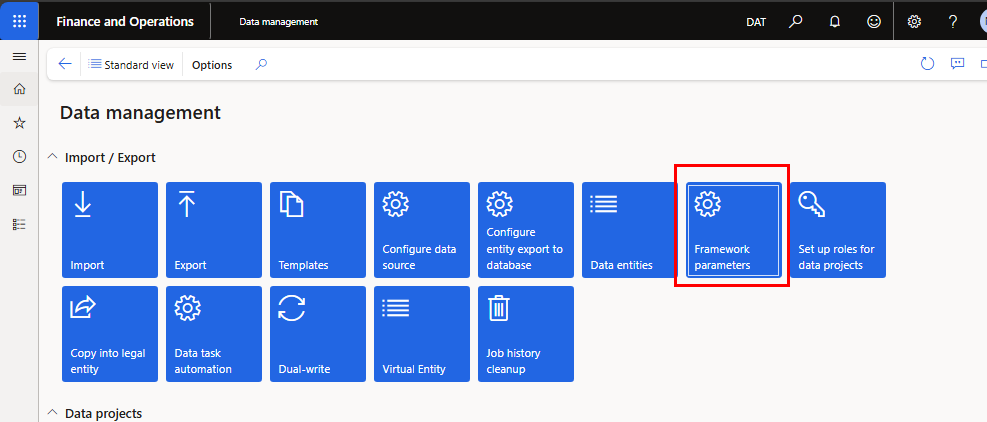
Open the Data Management workspace and click the Framework Parameters tile.
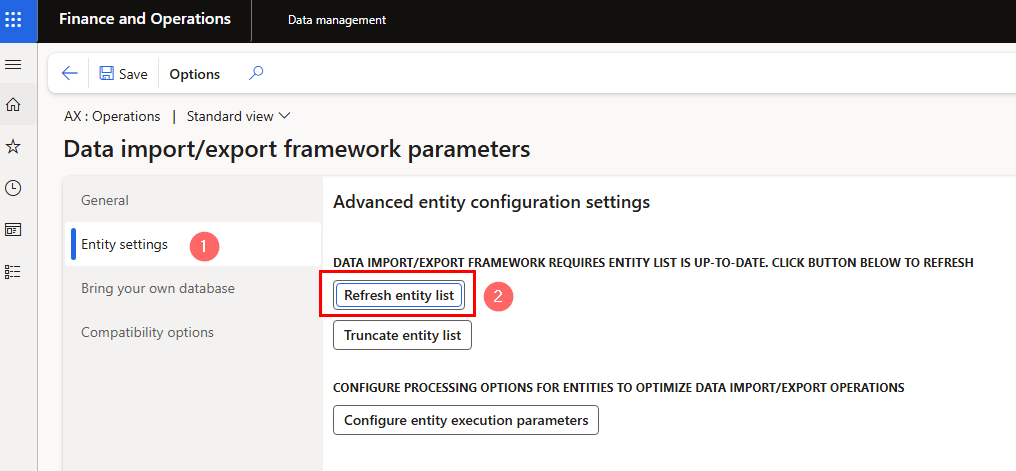
Click on the Entity settings tab and click the Refresh entity list button.
 URL: ?cmp=DIR&mi=DM_DataManagementWorkspaceMenuItem
Open the Data Management workspace and click the Framework Parameters tile.
Click on the Entity settings tab and click the Refresh entity list button.
URL: ?cmp=DIR&mi=DM_DataManagementWorkspaceMenuItem
Missing Data Entities
Tags: d365